How-to
How to Take Mobile Money Payments on WhatsApp
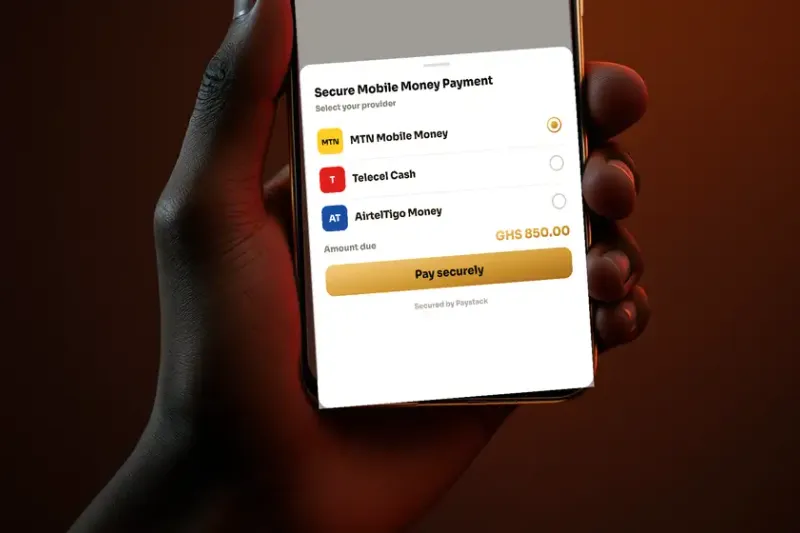
In Ghana, the sale often stalls at the same point: the customer is ready, and now they have to pay. If that means switching apps, dialling a short code, copying a reference and screenshotting a confirmation, you've added friction at the most fragile moment. Every extra step loses a few more buyers.
The businesses that win close the money loop inside the chat. Here's how to take Mobile Money on WhatsApp, from the manual method to a fully automated one.
The manual method (and its cracks)
The common approach: you share your MoMo number, the customer pays, sends a screenshot, and you check your phone to confirm. It works, but it leaks:
- You have to be awake and watching to confirm — so after-hours orders stall.
- Screenshots get faked; you're reconciling by eye.
- Chasing "have you paid yet?" is awkward and slow.
The automated method: pay-in-chat
The better way is an assistant that requests the payment, sends a secure link, and confirms it automatically — without anyone watching the phone. With XCelerate AI, the flow looks like this:
- The customer agrees to buy. The AI already knows the amount.
- It sends a secure payment link in the chat — no Mobile Money number to hand over.
- The customer taps it, pays on the checkout page, and comes straight back.
- The AI receives confirmation and tells them the order is booked — instantly, 24/7.
It works across MTN, Telecel and AirtelTigo, plus cards, and the confirmation is real — not a screenshot you have to trust. That means a customer can pay a deposit for a room, settle a restaurant order, or pay a delivery fee at 11pm and get an instant, verified confirmation.
The difference between "send me a screenshot" and an instant, verified confirmation is the difference between chasing customers and closing them.
Why in-chat payment changes the numbers
Two effects compound. First, conversion goes up because you removed friction at the exact moment of decision. Second, you can now sell around the clock, because collection no longer depends on you being awake to eyeball a screenshot. For a restaurant taking evening orders, a property agent collecting a viewing deposit, or any shop closing sales in DMs, that's not a small optimisation — it's a different business.
Getting set up
You don't need a separate payment integration or a developer. XCelerate AI includes Mobile Money and card collection as part of the assistant, priced in Cedis. You add your details once, and the AI handles requesting, confirming and recording payment inside every conversation.
FAQ
Frequently asked questions
Can customers pay by Mobile Money directly in WhatsApp?
Yes. With XCelerate AI the assistant requests the payment in the chat, sends a secure payment link the customer taps, and confirms it automatically inside the chat — across MTN, Telecel and AirtelTigo, plus cards — with no screenshots to verify.
Do I need a separate payment provider?
No. Mobile Money and card collection are built into XCelerate AI and priced in Cedis, so you don't need to wire up a separate integration or a developer.
Close the sale in the chat
XCelerate AI takes MTN, Telecel and AirtelTigo Mobile Money from your WhatsApp chat — a secure link, confirmed automatically.